
Download Zenora – AI Therapy, Mood Tracker, Secure Mental‑Health App
Overview of Zenora – AI‑Powered Therapy for Everyday Well‑Being
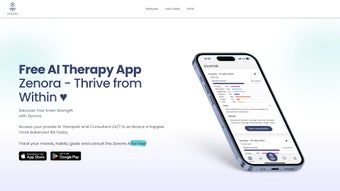
Zenora is a web‑based, AI‑driven therapist designed to help users cultivate emotional resilience and personal growth. Built in partnership with clinical psychologists, the platform blends evidence‑based therapeutic techniques with modern artificial intelligence to deliver a personalized mental‑health experience that feels both supportive and data‑rich. At its core, Zenora offers daily mood tracking, AI‑guided therapy sessions that analyze journal entries, goal‑setting tools, and deep analytics that illustrate how lifestyle choices influence mental wellness.
Privacy is a top priority: the service is fully GDPR‑compliant, encrypts all user data, and never sells personal information to third parties. Whether you’re dealing with stress, anxiety, or simply want to understand your emotional patterns better, Zenora provides a secure, accessible, and scientifically informed space to explore your inner world. The web‑only delivery means you can reach your therapy sessions from any modern browser, eliminating the need for bulky installations while still delivering a smooth, app‑like experience.
Zenora’s adaptive engine learns from each interaction, fine‑tuning its suggestions and coping strategies as your emotional landscape evolves. This continuous feedback loop empowers you to set realistic goals, monitor progress with clear visual statistics, and celebrate incremental wins—key ingredients for long‑term mental‑health success.
Key Features That Set Zenora Apart
- AI‑Guided Therapy Sessions: Uses natural‑language processing to interpret journal entries and suggest evidence‑based coping mechanisms.
- Daily Mood & Habit Tracker: Simple, colour‑coded interface for logging emotions, sleep, exercise, and nutrition.
- Personal Growth Goals: Breaks long‑term aspirations into bite‑size tasks, complete with reminders and progress bars.
- Insightful Analytics Dashboard: Visualizes trends, correlations, and triggers, helping you see the bigger picture of your mental health.
- Privacy‑First Architecture: End‑to‑end encryption, GDPR compliance, and a clear data‑retention policy.
- Cross‑Device Synchronization: Your journal, mood logs, and goals stay in sync whether you log in from a laptop, tablet, or smartphone.
- Professional Backing: Content and therapeutic frameworks reviewed by licensed psychologists.
- Continuous Updates: Regular feature releases based on user feedback and the latest research in cognitive‑behavioral therapy.
These features work together to create a holistic mental‑health ecosystem. For instance, the mood tracker feeds real‑time data into the analytics engine, which then informs the AI therapist on which coping strategies may be most effective that day. Goal‑setting is not just a checklist; it is linked to your emotional data, so Zenora can suggest when to push forward or when to pause for self‑care. The platform’s commitment to privacy also means you can explore sensitive topics without fear of data leakage. All of these capabilities are delivered through a clean, responsive web interface that feels just as comfortable on a desktop monitor as it does on a mobile browser.
How to Install, Set Up, and Use Zenora on Any Device
Because Zenora is a cloud‑native web application, there is no traditional “installation” process. Getting started is as easy as navigating to zenora.com and creating a free account. Follow these steps for a smooth onboarding experience:
- Create Your Account: Click “Sign Up,” enter a valid email address, and choose a strong password. An activation link will be sent to your inbox—click it to verify your account.
- Complete the Introductory Questionnaire: A short, clinically‑validated questionnaire assesses your current mental‑health baseline. This information seeds the AI’s personalization engine.
- Set Up Your First Goal: Use the “Goals” tab to define a personal objective (e.g., “Improve sleep quality”). Zenora will prompt you to break it into three actionable tasks.
- Start Your First Journal Entry: Navigate to the “Therapy” section, type a brief description of your day or a specific challenge, and let the AI suggest coping strategies.
- Log Your Mood Daily: Click the “Mood Tracker” icon each morning or evening, select an emotion from the palette, and optionally add notes on sleep, exercise, or diet.
- Review Analytics: After a week of data, the “Insights” dashboard will display patterns—such as a correlation between late‑night screen time and lower mood scores.
Compatibility: Zenora works on any modern operating system that supports a recent web browser, including Windows 10/11, macOS Catalina and later, Linux distributions, Android 8.0+, and iOS 13+. Because it runs in the browser, you benefit from automatic updates—no manual patching required.
For users who prefer a native feel, Zenora offers progressive web‑app (PWA) shortcuts. On desktop, you can click “Add to Home Screen” in Chrome or Edge to create a desktop icon that opens Zenora in a dedicated window. On mobile, the same option provides an app‑like icon on your home screen, complete with offline caching for reading previously entered journal entries (note: new entries still require an internet connection to process AI insights). This flexibility ensures you can engage with your therapy routine wherever you are, without being locked into a single device ecosystem.
Pros and Cons – An Honest Look at Zenora
Pros
- AI therapist offers personalized, evidence‑based coping strategies.
- Comprehensive mood‑tracking integrates seamlessly with goal‑setting.
- Data‑driven analytics provide clear visual insights into emotional patterns.
- GDPR‑compliant, end‑to‑end encryption ensures user privacy.
- Cross‑platform accessibility—no downloads, works on any browser.
- Regular feature updates informed by clinical research and user feedback.
- Free tier available with optional premium plan for deeper analytics.
Cons
- AI suggestions are not a substitute for professional, in‑person therapy.
- Limited offline functionality—full AI processing requires internet.
- Premium analytics (e.g., predictive trend modeling) locked behind a subscription.
- Some users may find the UI initially overwhelming due to the richness of features.
- Reliance on self‑reported data; accuracy depends on user honesty and consistency.
This review reflects a balanced perspective, highlighting both strengths and areas for improvement, while emphasizing Zenora’s innovative blend of AI and clinical expertise.
Frequently Asked Questions About Zenora
Is Zenora a replacement for a licensed therapist?
No. Zenora is an adjunct tool that provides evidence‑based guidance and self‑help techniques. It is designed to complement, not replace, professional mental‑health care.
Can I use Zenora for free?
Yes. Zenora offers a robust free tier that includes mood tracking, basic AI sessions, and goal‑setting. Premium plans unlock advanced analytics and priority support.
How does Zenora protect my personal data?
All data is encrypted in transit (TLS) and at rest. Zenora adheres to GDPR standards, stores data on secure European servers, and gives users full control over data deletion.
Do I need a strong internet connection for AI sessions?
Yes. The AI engine processes journal entries on the server side, so a stable internet connection ensures timely and accurate feedback.
Can I export my journal and mood data?
Absolutely. Zenora includes a CSV export feature that lets you download your entries, mood logs, and analytics for personal records or to share with a therapist.
Final Verdict: Why You Should Download Zenora Today
Zenora bridges the gap between traditional self‑help apps and professional therapeutic support by leveraging AI that is grounded in clinical research. Its comprehensive suite—mood tracking, AI‑guided sessions, goal management, and analytics—offers a 360° view of your emotional health, empowering you to make data‑driven decisions about self‑care. The platform’s web‑first design means you can start instantly on any device, and the GDPR‑compliant privacy framework ensures your thoughts remain private.
While it is not a substitute for in‑person therapy, Zenora serves as a valuable daily companion for anyone looking to boost resilience, understand emotional triggers, and track personal growth over time. The free tier provides enough functionality to experience the core benefits, and the optional premium upgrade adds deeper insights for power users. If you’re ready to take a proactive step toward mental‑wellness with a secure, intelligent, and user‑friendly tool, click the link below, create your account, and begin your journey toward a calmer, more self‑aware you.



.png)



